

We’re Switching to a New Booking System
On 29 April 2026, Upclub moved to a new booking system: Bsport. Here’s everything you need to know before booking your next workout with us.
Your New Upclub Booking Account
All memberships, class packs and credits are transferred automatically to your new Booking account. Memberships will now appear as subscriptions, and class packs as passes. If you are an existing member, you have received an email inviting you to activate your account, set a password, and if needed add a payment method. Once your account is set up, you’ll be ready to book classes and manage your subscriptions or passes.
Free Spot Selection
You’ll no longer need to choose a specific rower or bike when booking. Instead:
- Book your class online
- Choose any available spot when you arrive
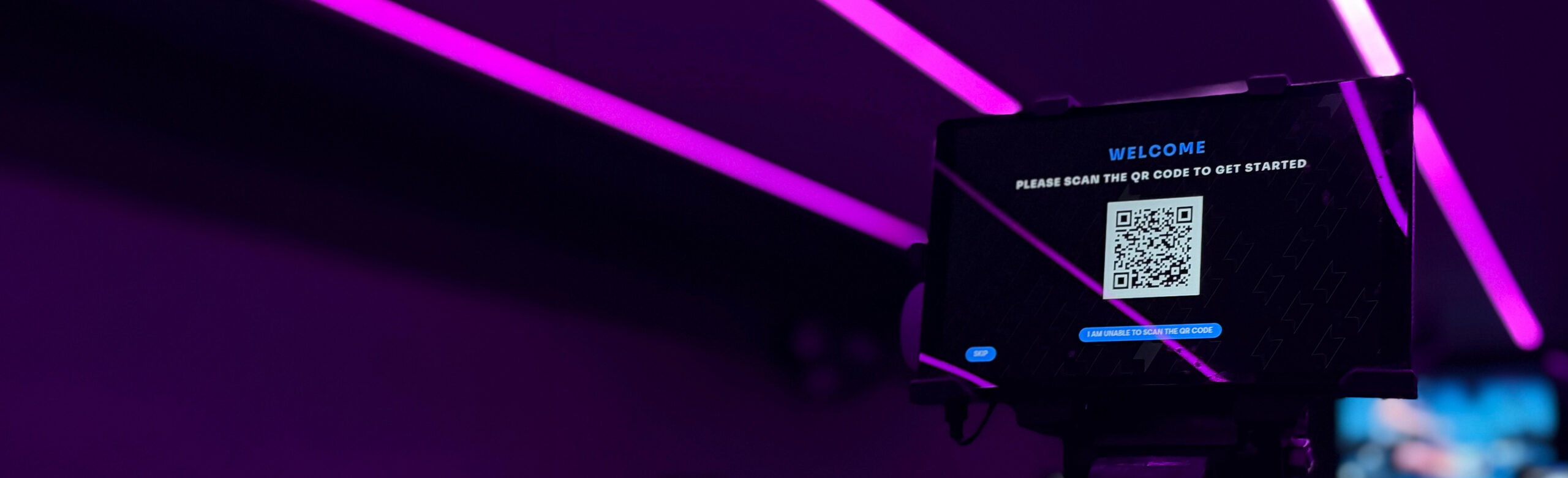
- Scan the QR code on your rower or bike to connect
Access to the Members Area
With a valid Upclub pass or subscription, you’ll get full access to the Upclub Members Area. After booking a first class, you’ll receive an email inviting you to register. Make sure to use the same email address as your Booking account. Once you scan the QR code on your rower or bike in the studio, you’ll be connected and ready to track your performance in your personal dashboard.
And don’t worry, you won’t need to log in every visit. Once signed in, you’ll usually stay logged in. Only thing you have to do is scan the QR code.
Need help?
Message us or check the full FAQ below.
General
What's the relation between the Booking account and the Members Area?
The Booking account is your account in Bsport, to manage your passes or subscription, book classes and manage your bookings.
In the Upclub Members Area you can monitor your performance, set goals and view rankings.
Both accounts are separate. When registering for the Members Area you’ll need to use the same email address as for the Booking Account, since the system will only allow access to the Members Area if there is an active Booking account connected to the email address. Active means that in the past 3 months there was a valid pass or subscription.
Why are you guys making this switch?
We needed to move to a new booking system, as our previous provider has discontinued its platform. We’ve taken this as an opportunity to upgrade to a more modern, European solution. Bsport is widely used and offers a range of great features. We were already planning to introduce free spot selection, so this was the perfect moment to combine both changes. While we understand that some members may miss booking their favourite spot, we believe everyone will benefit from the added flexibility. With QR codes, it’s easy to switch spots and sit next to friends. This system is already used in studios worldwide, where it has proven to work smoothly and is well received by members.
Series & Memberships
What's my Upclub Booking account?
Your Upclub Booking account is your account in Bsport, used to:
- Manage your Passes or Subscription
- Book ROW and RIDE classes
- View and manage upcoming bookings
Are my membership and credits transferred automatically?
Yes. All active memberships, packs and credits are moved to the new booking system automatically.
What is a "pass"?
A pass is a one-time purchase that gives you access to a set number of classes at Upclub. Unlike a subscription, a pass does not renew automatically. You simply buy it once and use your classes whenever it suits you, within the validity period. Examples of passes include an Intro Deal, a Drop-in class, or class packs such as a 5 Pack, 10 Pack, or 20 Pack. Passes are ideal if you prefer flexibility or don’t want a recurring plan. In short: a pass is a one-time purchase that gives you a fixed number of classes, without automatic renewal.
What is a "subscription"?
A subscription is our new name for what we previously called a membership. It’s a recurring plan that gives you ongoing access to classes at Upclub. We work with 4-week cycles. Within each cycle, your subscription gives you access to a set number of workouts—for example 4, 6, or 8 classes—or unlimited classes. All subscriptions have an initial period of 3 cycles. After this initial period your subscription renews automatically on a 4 weekly basis until cancelled. In short: a subscription is your recurring plan that gives you access to classes every 4 weeks.
Booking a class
I try to recover the password of my Booking account but I did not receive a recovery email.
Most probably the email is in your spamfilter.
Make sure to whitelist do-not-reply@bsport.io.
If the email is not in your spamfilter, the email address might not correspond with the address in the booking system.
Please send an email to info@upclubstudios.com to check, or use the Whatsapp tool in the left bottom corner.
I did not receive the restore email. What should I do?
Please check your spam or promotions folder first.
Click here to recover your password.
Can I still reserve my favourite spot?
From the switch onwards we’re moving to free spot selection. This means that you book a workout and you pick any available spot upon arrival in the studio.
If you prefer a certain spot we recommend to arrive early.
What are "Editions" of a workout?
Editions are different versions of the same workout. Each Edition has its own structure and flow. For most classes, Editions rotate, so if you attend the same time each week, you’ll usually get a different workout. You can always challenge yourself by pushing more Watts, distance, or weight. The exception is RIDE & RISE, where the same Edition runs for a full 4-week cycle so you can track your progress.
Members Area
What's the Upclub Members Area?
In the Upclub Members Area you find your personal dashboard, used for performance tracking and workout insights.
REGISTER
When you make a booking for a workout, we will ask you to register for the Members Area.
Make sure to use the email address you’re also using for the Upclub Booking account.
CONNECT
When you join a workout, connect by scanning the QR code on your rower or bike.
How do I register for the Upclub Members Area?
After you have made a booking for a class, you will be invited to register. You can also click here and register.
As part of the registration you will receive an email to validate your account.
Only after validation you will be able to access the Members Area.
If you did not receive a validation email please check your spam.
I tried to reset my password for the Members Area but I do not receive an email.
First please check your spam folder. If the email is not there, please get in touch with us by sending an email to info@upclubstudios.com or use the Whatsapp tool in the left bottom corner of your screen. We’re happy te help!
Can I create my Members Area account at the studio?
Yes. You can create it when scanning the QR code. It will take you around 20 seconds.
Do I need to scan the QR code to join a workout?
No. You can also press SKIP to join the workout anonymously, as a guest.
During the session your spot number will appear on the big screen leaderboard as usual.
After the session your spot number may also appear on the screen in the lobby as a Guest participant.
The performance data will NOT be uploaded to your personal dashboard.
So if you would like to save your data and track your progress you’ll need to login.
I book through ClassPass or Urban Sports, can I still access the Members Area?
Yes. Everyone who joins a workout can register for the Upclub Members Area. There, you can review your class performance, including distance, peak Watts, average Watts, as well as the class average and your ranking. More detailed insights and historical data are available to members who book directly through our website.
After scanning the QR code, can I switch to a different spot?
Yes. You can press LOG OUT on the tablet or just scan the QR code of a different spot. You will automatically be logged out from your previous spot.
Will I still be able to view my historical data?
Yes. If you register for the Upclub Members Area with the same email address you use to manage your bookings, access to your personal dashboard will be restored.
Can I still scan the QR code once the workout has started?
Yes. Just scan the QR code of any available bike or rower.
If you have already pressed SKIP to join as a guest, press LOG OUT and then scan the QR code.
